With a few simple tweaks, you can customize the Tilia Web UI to better reflect your brand and improve your overall customer experience.
Customization options for the UI sit on the root of the Tilia.execute() config object. The table below describes the available customization options.
| Field | Description |
|---|---|
theme.backgroundColor | The background color for the widget, takes in a valid hex value. Default is #FFFFFF. |
theme.primaryColor | The primary color for the widget, takes in a valid hex value. This is used for buttons and links. Default is #004D99. |
fullWidth | Optional parameter to set widget's width to your window size. Default is false. |
flowConfig | Optional. There are various ways to customize flows through the flowConfig parameter, which you can view in the individual flow documentation. |
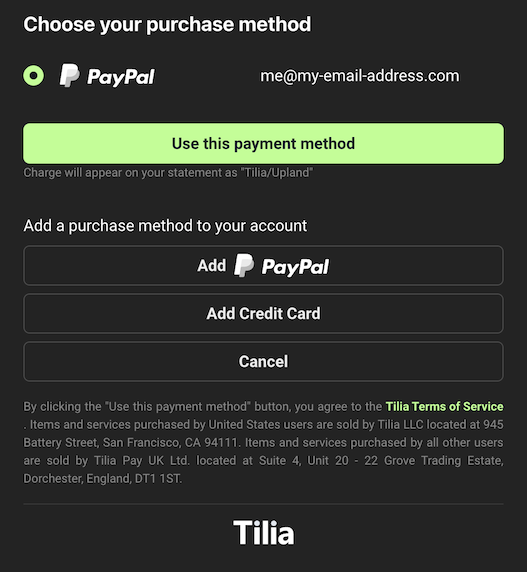
Here's an example of how you might customize the purchase widget:
window.Tilia.execute({
    rootId: "my-div", // for a div with id="my-div"
    flow: "purchase",
    redirect: widgetRedirectUrl,
    onComplete: handleComplete,
    theme: {
        backgroundColor: "#323232",
        primaryColor: "#47CC00"
    }
});
This results in the following: